OpenClaw:安装、Gateway 与 Skills 配置
12 个章节
OpenClaw 的 Linux 安装、模型 Provider 配置、Gateway 管理、SSH 隧道、Skills 和记忆文件说明。
安装
1.安装 Git
# 安装 Git
sudo apt update
sudo apt install git -y
2.安装 Node.js
# 安装 NVM
# 国内使用 gitee 的镜像源
curl -o- https://gitee.com/RubyMetric/nvm-cn/raw/main/install.sh | bash

# 国外使用
curl -o- https://raw.githubusercontent.com/nvm-sh/nvm/v0.39.1/install.sh | bash

# 重新加载环境变量
source ~/.bashrc

# 安装 Node.js 22
nvm install 22

# 查看 nodejs 版本
node -v # 输出 v22 即可,版本只要 22 就行
3.安装 openClaw 云服务器 需开启 18789 端口
# 使用官方脚本安装
curl -fsSL https://openclaw.bot/install.sh | bash

# 通过交互进行基础设置
4.编辑配置文件, 加入以下配置 ~/.openclaw/openclaw.josn
这里使用 new api 的站点模型 当前是在 villow 用户安装的所以 workspace 在自己的目录下
"agents": {
    "defaults": {
      "workspace": "/home/villow/.openclaw/workspace",
      "maxConcurrent": 4,
      "subagents": {
        "maxConcurrent": 8
      },
      "model": {
        "primary": "vopenclaw/gpt-5.2"
      },
      "models": {
        "vopenclaw/gpt-5.2": {
          "alias": "gpt"
        }
      }
    }
  },
  "models": {
    "providers": {
      "vopenclaw": {
        "apiKey": "sk- xxxxxx",
        "baseUrl": "https://api.example.com/v1",
        "api": "openai-responses",
        "models": [
          {"id": "gpt-5.2","name": "GPT-5.2"}
        ]
      }
    }
  },
openclaw dashboard 仪表盘
user@host:~/.openclaw$ openclaw dashboard


🦞 OpenClaw 2026.3.2 (85377a2) — Pairing codes exist because even bots believe in consent—and good security hygiene.

Dashboard URL: http://127.0.0.1:18789/#token=YOUR_GATEWAY_TOKEN
Copy to clipboard unavailable.
No GUI detected. Open from your computer:
ssh -N -L 18789:127.0.0.1:18789 user@server.example.com
Then open:
http://localhost:18789/
http://localhost:18789/#token=YOUR_GATEWAY_TOKEN
Docs:
https://docs.openclaw.ai/gateway/remote
https://docs.openclaw.ai/web/control-ui
命令
# 首次安装后初始化配置
openclaw setup

# 交互式引导配置(推荐新手)
openclaw onboard

# 打开控制面板
openclaw dashboard


# 查看完整配置
openclaw config get

# 查看特定配置项
openclaw config get models.default
openclaw config get providers.mistral.apiKey

# 查看特定部分配置
openclaw config get --section models
openclaw config get --section providers


# 启动 Gateway(默认端口 18789)
openclaw gateway start

# 自定义端口启动
openclaw gateway start --port 19000

# 强制启动(杀死占用进程)
openclaw gateway start --force

# 停止 Gateway
openclaw gateway stop

# 重启 Gateway
openclaw gateway restart

# 查看运行状态
openclaw gateway status

# 前台运行 Gateway(调试用)
openclaw gateway

# 开发模式运行(隔离状态)
openclaw --dev gateway

# 查看健康状态
openclaw health
访问 web ui
推荐走 SSH 隧道,不必把 OpenClaw 暴露公网, 把这两个窗口放着,退出就断了
# 在 Windows 执行:
ssh -N -L 18789:127.0.0.1:18789 user@server.example.com

# 执行仪表盘 检查url有没有token 没有的话就生成一份
openclaw dashboard

# 生成 token,设置 并重启
NEW_TOKEN=$(openssl rand -hex 32)
  openclaw config set gateway.auth.token "$NEW_TOKEN"
  openclaw daemon restart
  echo "$NEW_TOKEN"
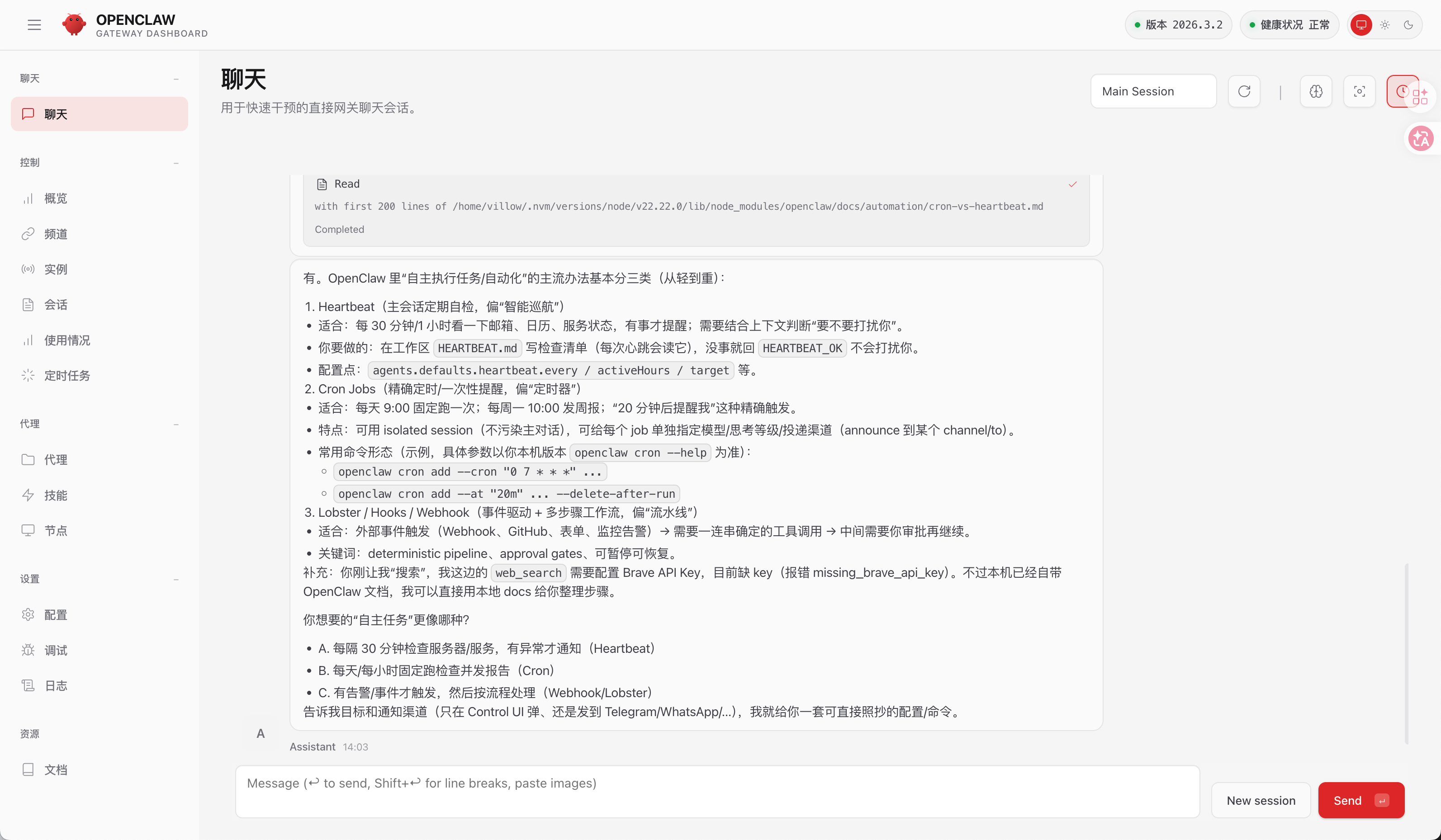
访问仪表盘中的url:
http://127.0.0.1:18789/#token=YOUR_GATEWAY_TOKEN
配置
TODO:其他配置通过和 openclaw 对话完善即可
skills
联网功能
自带的Brave需要花钱, 所以安装tavily-search skills, 访问clawhub 搜索tavily 访问其官网获取api key 每月1000次调用
通过和openclaw对话 并 提供key即可完成安装, 本次因openclaw限流,所以手动上传clawhub上的zip包,再进行对话安装
其他搜索引擎:
- Multi Search Engine
- ddgr
- deep-research-pro
- 还可以配置路由,面对不同任务使用不同搜索引擎
自我改进
self-improving-agent
搜索技能
find-skills
Memory记忆文件
在默认的AGENT.md中记录了长期记忆文件 和 日期记忆文件, 安装后没有生成这两个文件,所以直接对话添加指令
你为什么没有记忆? /home/villow/.openclaw/workspace/MEMORY.md文件为什么是空的, 而且也没有每日记忆?## Memory
You wake up fresh each session. These files are your continuity:
- **Daily notes:** `memory/YYYY-MM-DD.md` (create `memory/` if needed) — raw logs of what happened
- **Long-term:** `MEMORY.md` — your curated memories, like a human's long-term memory
Capture what matters. Decisions, context, things to remember. Skip the secrets unless asked to keep them.
### 🧠 MEMORY.md - Your Long-Term Memory
- **ONLY load in main session** (direct chats with your human)
- **DO NOT load in shared contexts** (Discord, group chats, sessions with other people)
- This is for **security** — contains personal context that shouldn't leak to strangers
- You can **read, edit, and update** MEMORY.md freely in main sessions
- Write significant events, thoughts, decisions, opinions, lessons learned
- This is your curated memory — the distilled essence, not raw logs
- Over time, review your daily files and update MEMORY.md with what's worth keeping完整 openclaw.json
{
  "meta": {
    "lastTouchedVersion": "2026.3.2",
    "lastTouchedAt": "2026-03-05T05:32:35.468Z"
  },
  "wizard": {
    "lastRunAt": "2026-03-05T03:33:58.539Z",
    "lastRunVersion": "2026.3.2",
    "lastRunCommand": "doctor",
    "lastRunMode": "local"
  },
  "models": {
    "providers": {
      "vopenclaw": {
        "baseUrl": "https://api.example.com/v1",
        "apiKey": "sk-your-api-key",
        "api": "openai-responses",
        "models": [
          {
            "id": "gpt-5.2",
            "name": "GPT-5.2"
          }
        ]
      }
    }
  },
  "agents": {
    "defaults": {
      "model": {
        "primary": "vopenclaw/gpt-5.2"
      },
      "models": {
        "vopenclaw/gpt-5.2": {
          "alias": "gpt"
        }
      },
      "workspace": "/home/villow/.openclaw/workspace",
      "maxConcurrent": 4,
      "subagents": {
        "maxConcurrent": 8
      }
    }
  },
  "messages": {
    "ackReactionScope": "group-mentions"
  },
  "commands": {
    "native": "auto",
    "nativeSkills": "auto",
    "restart": true,
    "ownerDisplay": "raw"
  },
  "gateway": {
    "mode": "local",
    "auth": {
      "mode": "token",
      "token": "YOUR_GATEWAY_TOKEN"
    }
  }
}
window powershell 安装脚本
# OpenClaw 的 Windows 安装脚本
# 官方推荐用法:
#   iwr -useb https://openclaw.ai/install.ps1 | iex
#
# 另外一种更灵活的调用方式(可以带参数):
#   & ([scriptblock]::Create((iwr -useb https://openclaw.ai/install.ps1))) -Tag beta -NoOnboard -DryRun
#
# 上面这行的意思是:
# 1. 先下载远程脚本内容
# 2. 把下载到的文本转换成一个 PowerShell 脚本块(scriptblock)
# 3. 再手动传参数执行,比如:
#    -Tag beta      => 安装 beta 版本
#    -NoOnboard     => 安装后不启动首次引导
#    -DryRun        => 只演练,不真正执行安装


param(
    # 要安装的版本标签,默认 latest
    # 例如:
    #   latest  -> 最新稳定/默认版本
    #   beta    -> beta 版本
    # 也可能支持更细的标签,比如 beta.x 之类
    [string]$Tag = "latest",

    # 安装方式,只允许 npm 或 git 两种
    # ValidateSet 表示如果传入别的值,PowerShell 会直接报错
    [ValidateSet("npm", "git")]
    [string]$InstallMethod = "npm",

    # 如果选择 git 安装,这里指定源码仓库克隆到本地的目录
    # 若不传,会默认使用:用户主目录\openclaw
    [string]$GitDir,

    # 是否跳过安装完成后的首次引导/初始化流程(onboard)
    # switch 表示开关参数:
    #   -NoOnboard   => 为真
    #   不写         => 为假
    [switch]$NoOnboard,

    # 仅对 git 安装方式有意义
    # 如果指定这个开关,则 git 仓库存在时不执行 pull/update
    [switch]$NoGitUpdate,

    # 只做演练,不真正安装
    # 用于查看脚本将采用什么安装方式、目录等
    [switch]$DryRun
)

# 遇到错误时立即停止,而不是继续往下执行
# 这样可以避免某一步失败后,后续逻辑在半残状态下继续运行
$ErrorActionPreference = "Stop"

# 打印一个简单标题
Write-Host ""
Write-Host "  OpenClaw Installer" -ForegroundColor Cyan
Write-Host ""

# 检查 PowerShell 版本
# 脚本要求 PowerShell 5 或更高版本
if ($PSVersionTable.PSVersion.Major -lt 5) {
    Write-Host "Error: PowerShell 5+ required" -ForegroundColor Red
    exit 1
}

Write-Host "[OK] Windows detected" -ForegroundColor Green

# ---------------------------
# 从环境变量读取配置(如果命令行参数没有明确传入)
# ---------------------------
# 这里的设计思路是:
# “命令行参数优先,如果没传参数,就尝试读环境变量。”
#
# 例如:
#   $env:OPENCLAW_INSTALL_METHOD = "git"
#   $env:OPENCLAW_NO_ONBOARD = "1"
#
# 这样即便你执行脚本时没写参数,它也能从环境变量中获取默认行为。

# 如果命令行没有传 InstallMethod,则尝试从环境变量 OPENCLAW_INSTALL_METHOD 读取
if (-not $PSBoundParameters.ContainsKey("InstallMethod")) {
    if (-not [string]::IsNullOrWhiteSpace($env:OPENCLAW_INSTALL_METHOD)) {
        $InstallMethod = $env:OPENCLAW_INSTALL_METHOD
    }
}

# 如果命令行没有传 GitDir,则尝试从环境变量 OPENCLAW_GIT_DIR 读取
if (-not $PSBoundParameters.ContainsKey("GitDir")) {
    if (-not [string]::IsNullOrWhiteSpace($env:OPENCLAW_GIT_DIR)) {
        $GitDir = $env:OPENCLAW_GIT_DIR
    }
}

# 如果命令行没有传 NoOnboard,则尝试从环境变量 OPENCLAW_NO_ONBOARD 读取
# 约定 "1" 表示 true
if (-not $PSBoundParameters.ContainsKey("NoOnboard")) {
    if ($env:OPENCLAW_NO_ONBOARD -eq "1") {
        $NoOnboard = $true
    }
}

# 如果命令行没有传 NoGitUpdate,则尝试从环境变量 OPENCLAW_GIT_UPDATE 读取
# 这里约定 "0" 表示禁用 git 更新,因此 NoGitUpdate = true
if (-not $PSBoundParameters.ContainsKey("NoGitUpdate")) {
    if ($env:OPENCLAW_GIT_UPDATE -eq "0") {
        $NoGitUpdate = $true
    }
}

# 如果命令行没有传 DryRun,则尝试从环境变量 OPENCLAW_DRY_RUN 读取
if (-not $PSBoundParameters.ContainsKey("DryRun")) {
    if ($env:OPENCLAW_DRY_RUN -eq "1") {
        $DryRun = $true
    }
}

# 如果没有指定 GitDir,则使用默认目录:
#   当前用户主目录\openclaw
# 例如:
#   C:\Users\你的用户名\openclaw
if ([string]::IsNullOrWhiteSpace($GitDir)) {
    $userHome = [Environment]::GetFolderPath("UserProfile")
    $GitDir = (Join-Path $userHome "openclaw")
}

# =========================================================
# 功能函数:检查 Node.js
# =========================================================
function Check-Node {
    try {
        # 尝试执行 node -v 获取 Node.js 版本,例如返回 v22.11.0
        $nodeVersion = (node -v 2>$null)

        if ($nodeVersion) {
            # 从字符串中提取主版本号,例如 v22.11.0 -> 22
            $version = [int]($nodeVersion -replace 'v(\d+)\..*', '$1')

            # 要求 Node.js 主版本号 >= 22
            if ($version -ge 22) {
                Write-Host "[OK] Node.js $nodeVersion found" -ForegroundColor Green
                return $true
            } else {
                Write-Host "[!] Node.js $nodeVersion found, but v22+ required" -ForegroundColor Yellow
                return $false
            }
        }
    } catch {
        # 如果执行 node -v 失败,说明 Node.js 可能没装或不在 PATH 中
        Write-Host "[!] Node.js not found" -ForegroundColor Yellow
        return $false
    }

    # 如果前面都没返回,则视为未通过检查
    return $false
}

# =========================================================
# 功能函数:安装 Node.js
# =========================================================
function Install-Node {
    Write-Host "[*] Installing Node.js..." -ForegroundColor Yellow

    # 优先尝试 winget(微软官方包管理器)
    # 常见于 Windows 11,或安装了 App Installer 的 Windows 10
    if (Get-Command winget -ErrorAction SilentlyContinue) {
        Write-Host "  Using winget..." -ForegroundColor Gray

        # 安装 Node.js LTS 版本
        # --accept-package-agreements / --accept-source-agreements 表示自动接受协议
        winget install OpenJS.NodeJS.LTS --accept-package-agreements --accept-source-agreements

        # 安装完后刷新当前 PowerShell 进程里的 PATH
        # 否则当前窗口里可能还是找不到新装的 node
        $env:Path = [System.Environment]::GetEnvironmentVariable("Path","Machine") + ";" + [System.Environment]::GetEnvironmentVariable("Path","User")

        Write-Host "[OK] Node.js installed via winget" -ForegroundColor Green
        return
    }

    # 如果没有 winget,则尝试 Chocolatey
    if (Get-Command choco -ErrorAction SilentlyContinue) {
        Write-Host "  Using Chocolatey..." -ForegroundColor Gray

        # 安装 nodejs LTS
        choco install nodejs-lts -y

        # 同样刷新 PATH
        $env:Path = [System.Environment]::GetEnvironmentVariable("Path","Machine") + ";" + [System.Environment]::GetEnvironmentVariable("Path","User")

        Write-Host "[OK] Node.js installed via Chocolatey" -ForegroundColor Green
        return
    }

    # 如果也没有 choco,则尝试 Scoop
    if (Get-Command scoop -ErrorAction SilentlyContinue) {
        Write-Host "  Using Scoop..." -ForegroundColor Gray

        scoop install nodejs-lts
        Write-Host "[OK] Node.js installed via Scoop" -ForegroundColor Green
        return
    }

    # 如果 winget/choco/scoop 都找不到,则无法自动安装
    # 此时提示用户手动安装 Node.js
    Write-Host ""
    Write-Host "Error: Could not find a package manager (winget, choco, or scoop)" -ForegroundColor Red
    Write-Host ""
    Write-Host "Please install Node.js 22+ manually:" -ForegroundColor Yellow
    Write-Host "  https://nodejs.org/en/download/" -ForegroundColor Cyan
    Write-Host ""
    Write-Host "Or install winget (App Installer) from the Microsoft Store." -ForegroundColor Gray
    exit 1
}

# =========================================================
# 功能函数:检查系统里是否已经装过 OpenClaw
# =========================================================
function Check-ExistingOpenClaw {
    # 如果能在 PATH 中找到 openclaw 命令,说明系统里已有安装
    if (Get-OpenClawCommandPath) {
        Write-Host "[*] Existing OpenClaw installation detected" -ForegroundColor Yellow
        return $true
    }
    return $false
}

# =========================================================
# 功能函数:检查 Git 是否存在
# =========================================================
function Check-Git {
    try {
        # Get-Command git 可以判断 git 命令是否可用
        $null = Get-Command git -ErrorAction Stop
        return $true
    } catch {
        return $false
    }
}

# =========================================================
# 功能函数:强制要求 Git 存在
# 不存在则给出提示并退出
# =========================================================
function Require-Git {
    if (Check-Git) { return }

    Write-Host ""
    Write-Host "Error: Git is required to install OpenClaw." -ForegroundColor Red
    Write-Host "Install Git for Windows:" -ForegroundColor Yellow
    Write-Host "  https://git-scm.com/download/win" -ForegroundColor Cyan
    Write-Host "Then re-run this installer." -ForegroundColor Yellow
    exit 1
}

# =========================================================
# 功能函数:查找 openclaw 命令的实际路径
# =========================================================
function Get-OpenClawCommandPath {
    # 先找 openclaw.cmd(Windows 下常见)
    $openclawCmd = Get-Command openclaw.cmd -ErrorAction SilentlyContinue
    if ($openclawCmd -and $openclawCmd.Source) {
        return $openclawCmd.Source
    }

    # 再尝试找 openclaw(某些情况下可执行命令可能没有 .cmd)
    $openclaw = Get-Command openclaw -ErrorAction SilentlyContinue
    if ($openclaw -and $openclaw.Source) {
        return $openclaw.Source
    }

    # 都找不到则返回 null
    return $null
}

# =========================================================
# 功能函数:调用 openclaw 命令
# 这里做了一层封装,避免重复查路径
# =========================================================
function Invoke-OpenClawCommand {
    param(
        # ValueFromRemainingArguments = $true 表示:
        # 调用这个函数时,后面多出来的参数都收集到 Arguments 数组中
        # 例如:
        #   Invoke-OpenClawCommand doctor --non-interactive
        # 会被当成 Arguments = @("doctor", "--non-interactive")
        [Parameter(ValueFromRemainingArguments = $true)]
        [string[]]$Arguments
    )

    # 先找到 openclaw 命令路径
    $commandPath = Get-OpenClawCommandPath
    if (-not $commandPath) {
        throw "openclaw command not found on PATH."
    }

    # & 表示调用命令/脚本
    # @Arguments 表示把数组展开成多个参数
    & $commandPath @Arguments
}

# =========================================================
# 功能函数:推测 npm 全局可执行文件目录候选位置
# =========================================================
function Get-NpmGlobalBinCandidates {
    param(
        # npm 的全局 prefix,比如:
        #   C:\Users\用户名\AppData\Roaming\npm
        [string]$NpmPrefix
    )

    $candidates = @()

    # 如果拿到了 prefix,则把 prefix 本身加入候选
    # 有些系统里全局命令就放在 prefix 根目录
    if (-not [string]::IsNullOrWhiteSpace($NpmPrefix)) {
        $candidates += $NpmPrefix

        # 有些环境会放在 prefix\bin
        $candidates += (Join-Path $NpmPrefix "bin")
    }

    # Windows 上 npm 全局命令常见目录:
    #   %APPDATA%\npm
    # 例如:
    #   C:\Users\用户名\AppData\Roaming\npm
    if (-not [string]::IsNullOrWhiteSpace($env:APPDATA)) {
        $candidates += (Join-Path $env:APPDATA "npm")
    }

    # 去掉空字符串,并去重后返回
    return $candidates | Where-Object { -not [string]::IsNullOrWhiteSpace($_) } | Select-Object -Unique
}

# =========================================================
# 功能函数:确保 openclaw 命令已经在 PATH 中
# 如果命令文件存在但 PATH 里没有,会自动加到用户 PATH
# =========================================================
function Ensure-OpenClawOnPath {
    # 如果当前已经能找到 openclaw,直接返回 true
    if (Get-OpenClawCommandPath) {
        return $true
    }

    $npmPrefix = $null
    try {
        # 读取 npm 全局安装前缀目录
        $npmPrefix = (npm config get prefix 2>$null).Trim()
    } catch {
        $npmPrefix = $null
    }

    # 获取多个候选 bin 目录
    $npmBins = Get-NpmGlobalBinCandidates -NpmPrefix $npmPrefix

    foreach ($npmBin in $npmBins) {
        # 检查该目录下是否有 openclaw.cmd
        if (-not (Test-Path (Join-Path $npmBin "openclaw.cmd"))) {
            continue
        }

        # 读取用户级 PATH(不是系统级 PATH)
        $userPath = [Environment]::GetEnvironmentVariable("Path", "User")

        # 如果用户 PATH 里还没有这个目录,就加进去
        if (-not ($userPath -split ";" | Where-Object { $_ -ieq $npmBin })) {
            [Environment]::SetEnvironmentVariable("Path", "$userPath;$npmBin", "User")

            # 同时刷新当前进程内的 PATH,让当前窗口尽量马上生效
            $env:Path = [System.Environment]::GetEnvironmentVariable("Path","Machine") + ";" + [System.Environment]::GetEnvironmentVariable("Path","User")

            Write-Host "[!] Added $npmBin to user PATH (restart terminal if command not found)" -ForegroundColor Yellow
        }

        return $true
    }

    # 如果所有候选目录都没找到,则提示用户手动处理 PATH
    Write-Host "[!] openclaw is not on PATH yet." -ForegroundColor Yellow
    Write-Host "Restart PowerShell or add the npm global install folder to PATH." -ForegroundColor Yellow

    if ($npmBins.Count -gt 0) {
        Write-Host "Expected path (one of):" -ForegroundColor Gray
        foreach ($npmBin in $npmBins) {
            Write-Host "  $npmBin" -ForegroundColor Cyan
        }
    } else {
        Write-Host "Hint: run \"npm config get prefix\" to find your npm global path." -ForegroundColor Gray
    }

    return $false
}

# =========================================================
# 功能函数:确保 pnpm 已安装
# 主要用于 git 安装方式
# =========================================================
function Ensure-Pnpm {
    # 如果系统里已经有 pnpm,则什么也不做
    if (Get-Command pnpm -ErrorAction SilentlyContinue) {
        return
    }

    # 如果有 corepack,则优先用 corepack 激活 pnpm
    # corepack 是 Node.js 自带的一种包管理器代理机制
    if (Get-Command corepack -ErrorAction SilentlyContinue) {
        try {
            corepack enable | Out-Null
            corepack prepare pnpm@latest --activate | Out-Null

            if (Get-Command pnpm -ErrorAction SilentlyContinue) {
                Write-Host "[OK] pnpm installed via corepack" -ForegroundColor Green
                return
            }
        } catch {
            # 如果 corepack 方式失败,继续往下尝试 npm install -g pnpm
        }
    }

    # 最后退路:直接用 npm 全局安装 pnpm
    Write-Host "[*] Installing pnpm..." -ForegroundColor Yellow

    # 暂存原来的 npm script shell 配置
    $prevScriptShell = $env:NPM_CONFIG_SCRIPT_SHELL

    # 强制让 npm 用 cmd.exe 执行脚本
    # 这样可以规避某些 PowerShell 环境下脚本兼容性问题
    $env:NPM_CONFIG_SCRIPT_SHELL = "cmd.exe"

    try {
        npm install -g pnpm
    } finally {
        # 无论成功失败,都把环境变量恢复
        $env:NPM_CONFIG_SCRIPT_SHELL = $prevScriptShell
    }

    Write-Host "[OK] pnpm installed" -ForegroundColor Green
}

# =========================================================
# 功能函数:通过 npm 安装 OpenClaw
# =========================================================
function Install-OpenClaw {
    # 如果 Tag 是空字符串,则强制回退到 latest
    if ([string]::IsNullOrWhiteSpace($Tag)) {
        $Tag = "latest"
    }

    # 安装 OpenClaw 前要求系统有 Git
    # 说明这个 npm 包的某些安装过程或依赖可能会用到 git
    Require-Git

    # 这里定义要安装的 npm 包名
    # 注释里写的是“beta/stable 使用不同包名”,
    # 但当前代码无论 stable 还是 beta 都是 "openclaw"
    $packageName = "openclaw"

    if ($Tag -eq "beta" -or $Tag -match "^beta\.") {
        $packageName = "openclaw"
    }

    Write-Host "[*] Installing OpenClaw ($packageName@$Tag)..." -ForegroundColor Yellow

    # 备份当前 npm 相关环境变量,稍后恢复
    $prevLogLevel = $env:NPM_CONFIG_LOGLEVEL
    $prevUpdateNotifier = $env:NPM_CONFIG_UPDATE_NOTIFIER
    $prevFund = $env:NPM_CONFIG_FUND
    $prevAudit = $env:NPM_CONFIG_AUDIT
    $prevScriptShell = $env:NPM_CONFIG_SCRIPT_SHELL

    # 临时把 npm 的输出尽量变安静一些,减少安装时噪音
    $env:NPM_CONFIG_LOGLEVEL = "error"
    $env:NPM_CONFIG_UPDATE_NOTIFIER = "false"
    $env:NPM_CONFIG_FUND = "false"
    $env:NPM_CONFIG_AUDIT = "false"

    # 强制 npm 用 cmd.exe 执行脚本
    $env:NPM_CONFIG_SCRIPT_SHELL = "cmd.exe"

    try {
        # 全局安装指定版本/标签的 openclaw
        # 2>&1 表示把标准错误也并入标准输出,方便统一保存
        $npmOutput = npm install -g "$packageName@$Tag" 2>&1

        # 检查 npm 退出码
        if ($LASTEXITCODE -ne 0) {
            Write-Host "[!] npm install failed" -ForegroundColor Red

            # 如果输出里提到 spawn git 或 ENOENT git,
            # 说明 npm 安装过程中调用 git 失败,多半是 git 没装或 PATH 有问题
            if ($npmOutput -match "spawn git" -or $npmOutput -match "ENOENT.*git") {
                Write-Host "Error: git is missing from PATH." -ForegroundColor Red
                Write-Host "Install Git for Windows, then reopen PowerShell and retry:" -ForegroundColor Yellow
                Write-Host "  https://git-scm.com/download/win" -ForegroundColor Cyan
            } else {
                # 否则就提示用户重新跑官方安装命令以查看完整信息
                Write-Host "Re-run with verbose output to see the full error:" -ForegroundColor Yellow
                Write-Host "  iwr -useb https://openclaw.ai/install.ps1 | iex" -ForegroundColor Cyan
            }

            # 把 npm 产生的输出逐行打印出来,便于排查
            $npmOutput | ForEach-Object { Write-Host $_ }
            exit 1
        }
    } finally {
        # 无论成功失败,都把之前改掉的 npm 环境变量恢复
        $env:NPM_CONFIG_LOGLEVEL = $prevLogLevel
        $env:NPM_CONFIG_UPDATE_NOTIFIER = $prevUpdateNotifier
        $env:NPM_CONFIG_FUND = $prevFund
        $env:NPM_CONFIG_AUDIT = $prevAudit
        $env:NPM_CONFIG_SCRIPT_SHELL = $prevScriptShell
    }

    Write-Host "[OK] OpenClaw installed" -ForegroundColor Green
}

# =========================================================
# 功能函数:从 GitHub 源码安装 OpenClaw
# 适用于开发/跟踪源码版本的场景
# =========================================================
function Install-OpenClawFromGit {
    param(
        # 本地源码目录
        [string]$RepoDir,

        # 是否跳过 git pull/update
        [switch]$SkipUpdate
    )

    # git 安装方式必须有 Git
    Require-Git

    # git 安装方式还需要 pnpm
    Ensure-Pnpm

    # GitHub 仓库地址
    $repoUrl = "https://github.com/openclaw/openclaw.git"
    Write-Host "[*] Installing OpenClaw from GitHub ($repoUrl)..." -ForegroundColor Yellow

    # 如果本地目录不存在,则先 clone 仓库
    if (-not (Test-Path $RepoDir)) {
        git clone $repoUrl $RepoDir
    }

    # 如果没有要求跳过更新
    if (-not $SkipUpdate) {
        # 检查仓库是否“干净”
        # git status --porcelain 没有输出,通常表示没有未提交改动
        if (-not (git -C $RepoDir status --porcelain 2>$null)) {
            # 仓库干净,则安全执行 pull --rebase 获取最新代码
            git -C $RepoDir pull --rebase 2>$null
        } else {
            # 仓库有本地修改时,不自动 pull,避免冲掉用户改动或制造冲突
            Write-Host "[!] Repo is dirty; skipping git pull" -ForegroundColor Yellow
        }
    } else {
        Write-Host "[!] Git update disabled; skipping git pull" -ForegroundColor Yellow
    }

    # 删除旧版遗留的子模块目录(如果存在)
    Remove-LegacySubmodule -RepoDir $RepoDir

    # 构建前同样临时切换 npm script shell 到 cmd.exe
    $prevPnpmScriptShell = $env:NPM_CONFIG_SCRIPT_SHELL
    $env:NPM_CONFIG_SCRIPT_SHELL = "cmd.exe"

    try {
        # 安装依赖
        pnpm -C $RepoDir install

        # 构建 UI
        # 如果 UI 构建失败,仅警告并继续,因为 CLI 可能仍然可用
        if (-not (pnpm -C $RepoDir ui:build)) {
            Write-Host "[!] UI build failed; continuing (CLI may still work)" -ForegroundColor Yellow
        }

        # 构建主程序
        pnpm -C $RepoDir build
    } finally {
        # 恢复原环境变量
        $env:NPM_CONFIG_SCRIPT_SHELL = $prevPnpmScriptShell
    }

    # 准备一个用户级 bin 目录,放包装脚本 openclaw.cmd
    $binDir = Join-Path $env:USERPROFILE ".local\\bin"

    # 如果目录不存在则创建
    if (-not (Test-Path $binDir)) {
        New-Item -ItemType Directory -Force -Path $binDir | Out-Null
    }

    # openclaw.cmd 的完整路径
    $cmdPath = Join-Path $binDir "openclaw.cmd"

    # 生成一个简单的 Windows 批处理包装器
    # 作用是:
    #   当用户输入 openclaw 时,实际执行:
    #   node "源码目录\dist\entry.js" %*
    #
    # %* 表示把用户输入的所有参数原样透传给 entry.js
    $cmdContents = "@echo off`r`nnode ""$RepoDir\\dist\\entry.js"" %*`r`n"

    # 写入 openclaw.cmd 文件
    Set-Content -Path $cmdPath -Value $cmdContents -NoNewline

    # 确保这个 bin 目录在用户 PATH 中
    $userPath = [Environment]::GetEnvironmentVariable("Path", "User")
    if (-not ($userPath -split ";" | Where-Object { $_ -ieq $binDir })) {
        [Environment]::SetEnvironmentVariable("Path", "$userPath;$binDir", "User")

        # 刷新当前 PowerShell 进程的 PATH
        $env:Path = [System.Environment]::GetEnvironmentVariable("Path","Machine") + ";" + [System.Environment]::GetEnvironmentVariable("Path","User")

        Write-Host "[!] Added $binDir to user PATH (restart terminal if command not found)" -ForegroundColor Yellow
    }

    Write-Host "[OK] OpenClaw wrapper installed to $cmdPath" -ForegroundColor Green
    Write-Host "[i] This checkout uses pnpm. For deps, run: pnpm install (avoid npm install in the repo)." -ForegroundColor Gray
}

# =========================================================
# 功能函数:运行 openclaw doctor 做迁移/修复
# 非交互模式,适合安装脚本里自动执行
# =========================================================
function Run-Doctor {
    Write-Host "[*] Running doctor to migrate settings..." -ForegroundColor Yellow
    try {
        # --non-interactive 表示尽量不进入交互问答
        Invoke-OpenClawCommand doctor --non-interactive
    } catch {
        # doctor 失败时忽略错误,不让整个安装流程因此终止
    }
    Write-Host "[OK] Migration complete" -ForegroundColor Green
}

# =========================================================
# 功能函数:检查 gateway/service 是否已加载
# =========================================================
function Test-GatewayServiceLoaded {
    try {
        # 通过 openclaw daemon status --json 获取状态 JSON
        $statusJson = (Invoke-OpenClawCommand daemon status --json 2>$null)

        # 如果没返回内容,则认为未加载
        if ([string]::IsNullOrWhiteSpace($statusJson)) {
            return $false
        }

        # 把 JSON 字符串解析成 PowerShell 对象
        $parsed = $statusJson | ConvertFrom-Json

        # 判断结构中是否存在 service.loaded = true
        if ($parsed -and $parsed.service -and $parsed.service.loaded) {
            return $true
        }
    } catch {
        return $false
    }

    return $false
}

# =========================================================
# 功能函数:如果 gateway/service 已加载,则尝试刷新它
# 用于升级后让服务配置/安装同步更新
# =========================================================
function Refresh-GatewayServiceIfLoaded {
    # 如果系统里都还找不到 openclaw 命令,就直接返回
    if (-not (Get-OpenClawCommandPath)) {
        return
    }

    # 如果 gateway/service 当前并未加载,也不用刷新
    if (-not (Test-GatewayServiceLoaded)) {
        return
    }

    Write-Host "[*] Refreshing loaded gateway service..." -ForegroundColor Yellow

    try {
        # 强制重新安装 gateway/service 相关配置
        Invoke-OpenClawCommand gateway install --force | Out-Null
    } catch {
        Write-Host "[!] Gateway service refresh failed; continuing." -ForegroundColor Yellow
        return
    }

    try {
        # 安装后尝试重启服务
        Invoke-OpenClawCommand gateway restart | Out-Null

        # probe/status 用于探测服务是否正常工作
        Invoke-OpenClawCommand gateway status --probe --json | Out-Null

        Write-Host "[OK] Gateway service refreshed" -ForegroundColor Green
    } catch {
        Write-Host "[!] Gateway service restart failed; continuing." -ForegroundColor Yellow
    }
}

# =========================================================
# 功能函数:获取旧版默认仓库目录
# =========================================================
function Get-LegacyRepoDir {
    # 如果环境变量 OPENCLAW_GIT_DIR 有设置,优先用它
    if (-not [string]::IsNullOrWhiteSpace($env:OPENCLAW_GIT_DIR)) {
        return $env:OPENCLAW_GIT_DIR
    }

    # 否则默认使用 用户主目录\openclaw
    $userHome = [Environment]::GetFolderPath("UserProfile")
    return (Join-Path $userHome "openclaw")
}

# =========================================================
# 功能函数:删除旧版遗留的子模块目录 Peekaboo
# =========================================================
function Remove-LegacySubmodule {
    param(
        # 仓库目录
        [string]$RepoDir
    )

    # 如果没传 RepoDir,则自动用旧版默认目录兜底
    if ([string]::IsNullOrWhiteSpace($RepoDir)) {
        $RepoDir = Get-LegacyRepoDir
    }

    # 旧版遗留目录路径:仓库目录\Peekaboo
    $legacyDir = Join-Path $RepoDir "Peekaboo"

    # 如果这个目录存在,就强制删除
    if (Test-Path $legacyDir) {
        Write-Host "[!] Removing legacy submodule checkout: $legacyDir" -ForegroundColor Yellow
        Remove-Item -Recurse -Force $legacyDir
    }
}

# =========================================================
# 主流程函数
# =========================================================
function Main {
    # 再次校验 InstallMethod,防止非法值
    if ($InstallMethod -ne "npm" -and $InstallMethod -ne "git") {
        Write-Host "Error: invalid -InstallMethod (use npm or git)." -ForegroundColor Red
        exit 2
    }

    # DryRun 模式:只打印计划,不真正执行安装
    if ($DryRun) {
        Write-Host "[OK] Dry run" -ForegroundColor Green
        Write-Host "[OK] Install method: $InstallMethod" -ForegroundColor Green

        if ($InstallMethod -eq "git") {
            Write-Host "[OK] Git dir: $GitDir" -ForegroundColor Green

            if ($NoGitUpdate) {
                Write-Host "[OK] Git update: disabled" -ForegroundColor Green
            } else {
                Write-Host "[OK] Git update: enabled" -ForegroundColor Green
            }
        }

        if ($NoOnboard) {
            Write-Host "[OK] Onboard: skipped" -ForegroundColor Green
        }

        return
    }

    # 删除旧版遗留子模块
    #
    # 注意:
    # 这里调用的是 $RepoDir,但 Main 函数内部并没有定义这个变量。
    # PowerShell 中未定义变量通常为 $null。
    # 好在 Remove-LegacySubmodule 内部对空值做了兜底,会自动回退到默认目录。
    # 所以大概率不会报错,但这里从代码整洁性上看像是一个小疏漏。
    Remove-LegacySubmodule -RepoDir $RepoDir

    # 检查系统里是否已经存在 OpenClaw
    # 如果存在,后续就会按“升级”逻辑处理部分步骤
    $isUpgrade = Check-ExistingOpenClaw

    # ---------------------------
    # 第 1 步:确保 Node.js 可用
    # ---------------------------
    if (-not (Check-Node)) {
        # 如果没找到 Node.js 或版本过低,则尝试安装
        Install-Node

        # 安装后再次检查
        # 如果仍然失败,常见原因是当前终端还没刷新环境变量
        if (-not (Check-Node)) {
            Write-Host ""
            Write-Host "Error: Node.js installation may require a terminal restart" -ForegroundColor Red
            Write-Host "Please close this terminal, open a new one, and run this installer again." -ForegroundColor Yellow
            exit 1
        }
    }

    $finalGitDir = $null

    # ---------------------------
    # 第 2 步:安装 OpenClaw
    # ---------------------------
    if ($InstallMethod -eq "git") {
        # git 安装模式
        $finalGitDir = $GitDir
        Install-OpenClawFromGit -RepoDir $GitDir -SkipUpdate:$NoGitUpdate
    } else {
        # npm 安装模式
        Install-OpenClaw
    }

    # 安装完成后,确保 openclaw 命令在 PATH 中
    if (-not (Ensure-OpenClawOnPath)) {
        Write-Host "Install completed, but OpenClaw is not on PATH yet." -ForegroundColor Yellow
        Write-Host "Open a new terminal, then run: openclaw doctor" -ForegroundColor Cyan
        return
    }

    # 如果检测到已加载 gateway/service,则刷新它
    Refresh-GatewayServiceIfLoaded

    # ---------------------------
    # 第 3 步:如果是升级,或使用 git 安装,则运行 doctor
    # ---------------------------
    if ($isUpgrade -or $InstallMethod -eq "git") {
        Run-Doctor
    }

    # 尝试获取已安装版本号,方便最终提示
    $installedVersion = $null

    try {
        # 优先直接调用 openclaw --version
        $installedVersion = (Invoke-OpenClawCommand --version 2>$null).Trim()
    } catch {
        $installedVersion = $null
    }

    # 如果 openclaw --version 没拿到,再尝试从 npm 全局依赖列表里查
    if (-not $installedVersion) {
        try {
            $npmList = npm list -g --depth 0 --json 2>$null | ConvertFrom-Json

            if ($npmList -and $npmList.dependencies -and $npmList.dependencies.openclaw -and $npmList.dependencies.openclaw.version) {
                $installedVersion = $npmList.dependencies.openclaw.version
            }
        } catch {
            $installedVersion = $null
        }
    }

    # 打印安装成功信息
    Write-Host ""
    if ($installedVersion) {
        Write-Host "OpenClaw installed successfully ($installedVersion)!" -ForegroundColor Green
    } else {
        Write-Host "OpenClaw installed successfully!" -ForegroundColor Green
    }
    Write-Host ""

    # 如果是升级,则随机显示一句升级文案
    if ($isUpgrade) {
        $updateMessages = @(
            "Leveled up! New skills unlocked. You're welcome.",
            "Fresh code, same lobster. Miss me?",
            "Back and better. Did you even notice I was gone?",
            "Update complete. I learned some new tricks while I was out.",
            "Upgraded! Now with 23% more sass.",
            "I've evolved. Try to keep up.",
            "New version, who dis? Oh right, still me but shinier.",
            "Patched, polished, and ready to pinch. Let's go.",
            "The lobster has molted. Harder shell, sharper claws.",
            "Update done! Check the changelog or just trust me, it's good.",
            "Reborn from the boiling waters of npm. Stronger now.",
            "I went away and came back smarter. You should try it sometime.",
            "Update complete. The bugs feared me, so they left.",
            "New version installed. Old version sends its regards.",
            "Firmware fresh. Brain wrinkles: increased.",
            "I've seen things you wouldn't believe. Anyway, I'm updated.",
            "Back online. The changelog is long but our friendship is longer.",
            "Upgraded! Peter fixed stuff. Blame him if it breaks.",
            "Molting complete. Please don't look at my soft shell phase.",
            "Version bump! Same chaos energy, fewer crashes (probably)."
        )

        # 从数组中随机挑一句显示
        Write-Host (Get-Random -InputObject $updateMessages) -ForegroundColor Gray
        Write-Host ""
    } else {
        # 如果是首次安装,则显示首次安装文案
        $completionMessages = @(
            "Ahh nice, I like it here. Got any snacks? ",
            "Home sweet home. Don't worry, I won't rearrange the furniture.",
            "I'm in. Let's cause some responsible chaos.",
            "Installation complete. Your productivity is about to get weird.",
            "Settled in. Time to automate your life whether you're ready or not.",
            "Cozy. I've already read your calendar. We need to talk.",
            "Finally unpacked. Now point me at your problems.",
            "cracks claws Alright, what are we building?",
            "The lobster has landed. Your terminal will never be the same.",
            "All done! I promise to only judge your code a little bit."
        )

        Write-Host (Get-Random -InputObject $completionMessages) -ForegroundColor Gray
        Write-Host ""
    }

    # 如果是 git 安装方式,再额外打印源码目录和包装器路径
    if ($InstallMethod -eq "git") {
        Write-Host "Source checkout: $finalGitDir" -ForegroundColor Cyan
        Write-Host "Wrapper: $env:USERPROFILE\\.local\\bin\\openclaw.cmd" -ForegroundColor Cyan
        Write-Host ""
    }

    # 如果是升级后的结尾提示
    if ($isUpgrade) {
        Write-Host "Upgrade complete. Run " -NoNewline
        Write-Host "openclaw doctor" -ForegroundColor Cyan -NoNewline
        Write-Host " to check for additional migrations."
    } else {
        # 如果是首次安装
        if ($NoOnboard) {
            # 用户明确要求跳过首次引导
            Write-Host "Skipping onboard (requested). Run " -NoNewline
            Write-Host "openclaw onboard" -ForegroundColor Cyan -NoNewline
            Write-Host " later."
        } else {
            # 默认自动启动首次引导
            Write-Host "Starting setup..." -ForegroundColor Cyan
            Write-Host ""

            # 执行 openclaw onboard
            Invoke-OpenClawCommand onboard
        }
    }
}

# 执行主流程
Main